 CLASSTAB
Features
Three apps. One school.
Each app only lets in the people it is for, so nobody sees a screen that isn't theirs.
ClassTab Family · parents and students
Everything about your child, in one place
- Term bill line by line, receipts, payment history
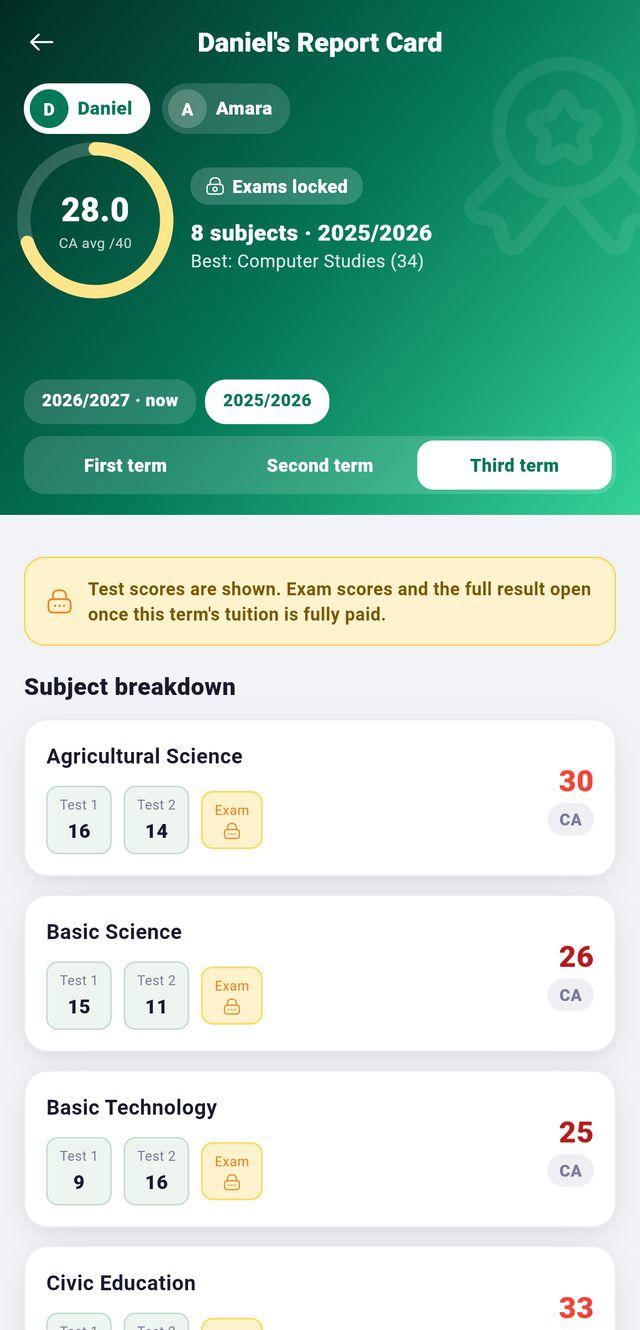
- Report card: tests any time, exams after tuition
- Attendance, timetable, exam calendar and seat
- School notices and messages to the school's desks
- Pickup: the gate is told when you arrive
ClassTab Staff · teachers and staff
Less paperwork, more teaching
- Check in and out on the school premises
- Schemes of work, lesson notes and exam questions, sent for approval
- Score entry with due dates and reminders
- HR desk: letters, salary advances, queries
- Duties like bursary, library or sick bay, each with its own desk
A teacher's day in ClassTab
7:45
Check in at the gate with a selfie
Morning
Mark the class register
Afternoon
Enter Test 1 scores for JSS 2
Evening
Send next week's lesson note for approval
ClassTab Admin · owners and administrators
See the whole school at a glance
- Set up classes, terms, fees and bills with a guide
- Approve pupils and staff, appoint duties
- Who owes, class by class, with term reports
- CBT Exam Centre, exam board, report cards
- Payroll, fines, HR and a full audit trail
Set up in an afternoon
Step 1
Classes, arms and subjects
Step 2
Terms and the school calendar
Step 3
Tuition, bill items and prices
Step 4
Invite staff; parents claim their children
Get the apps
ClassTab Family, Staff and Admin are on Android. On iPhone, use ClassTab on the web for now.